

Trust Center
Turn your security work
into customer confidence



Give customers a clear
view of your security
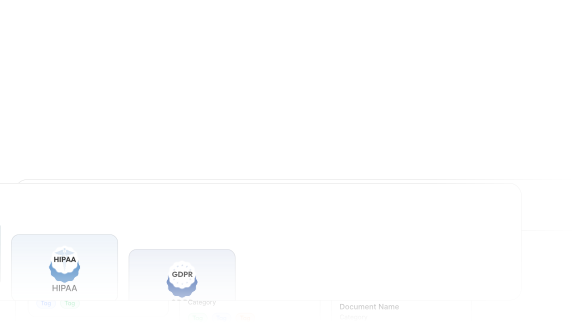
One source of truth, kept current
Your trust center reflects what you operate today, not a snapshot from your last audit.
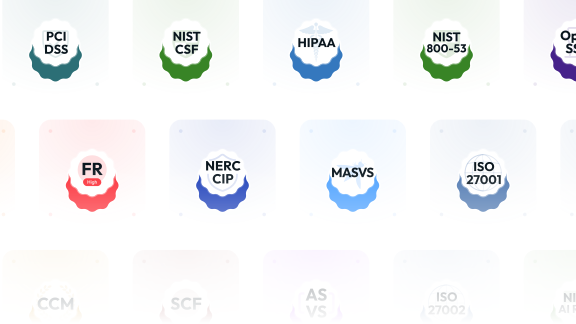
Framework-aware by default
Your trust center is organized around compliance structure, not just documents.
What defines the
Openlane Trust Center

Customized branding
Match your logo, colors, and domain so the page looks like part of your product.

Live preview from the Openlane console
See exactly what customers will see, before you publish.

Private documents with controlled access
Gate sensitive files behind a signed NDA and your approval.

Visibility into who's engaging
Know which prospects are working through your security posture — a signal your team can act on.

Subprocessor transparency, built-in
Answer procurement's subprocessor question before they ask, with a current list drawn from your vendor registry.

Connected to real compliance data
Everything shown is backed by your controls and policies, so it stays accurate as your program changes.

Openlane gives us something I've never seen elsewhere: a way to see how everything connects — policies, controls, evidence, and risks. It's like turning on the lights in a maze that used to be a black box.
 Jorge Macias, BuddyBeam
Answer the security review before it starts

Answer questions before they are asked
Common questions are covered up front, so fewer follow-up requests reach your inbox.

Stay credible under scrutiny
What you share externally matches what you can defend internally.

Reduce team disruption
Fewer ad-hoc requests. Fewer emergency document hunts.

Scale as you grow
Add frameworks, programs, and customers without rebuilding your security story each time.

Build long-term confidence
Customers see consistency over time, not one-off audit artifacts.

Meet notice requirements
Subscribers are notified automatically, so you meet notice terms without manual outreach.
Frequently asked questions
Why do I need a trust center?
Buyers expect to see your security posture before they ask. A trust center gives them one self-serve place to review it, and it matters more as the number of reviews grows.
What information is visible to external viewers?
Only the trust and security content you publish, including documents, policies, and compliance information.
Can we use it for multiple frameworks?
Yes. Share trust and compliance information across multiple frameworks from a single Trust Center.
Is this a replacement for security questionnaires?
It reduces them. Most buyer questions are answered upfront, so fewer questionnaires reach your inbox.
Do auditors use the same data?
No. Auditors work in your internal compliance workspace. The Trust Center is a curated, external-facing view.
Does the Trust Center support custom branding and domains?
Yes. Customize branding and use your own domain so it looks like part of your product.
Can we require an NDA before sharing sensitive documents?
Yes. You can require an NDA before granting access to private documents, with optional approval workflows to control exactly who can view them.
From the Blog
What is a Trust Center?
What a trust center does, what to share, and when your company needs one.
Read the Guide

'%3e%3cg id='Final-Copy-2_2_' transform='translate(1275.000000, 200.000000)'%3e%3cpath class='st0' d='M7.4,12.8h6.8l3.1-11.6H7.4C4.2,1.2,1.6,3.8,1.6,7S4.2,12.8,7.4,12.8z'/%3e%3c/g%3e%3c/g%3e%3c/g%3e%3cg id='final---dec.11-2020'%3e%3cg id='_x30_208-our-toggle' transform='translate(-1275.000000, -200.000000)'%3e%3cg id='Final-Copy-2' transform='translate(1275.000000, 200.000000)'%3e%3cpath class='st1' d='M22.6,0H7.4c-3.9,0-7,3.1-7,7s3.1,7,7,7h15.2c3.9,0,7-3.1,7-7S26.4,0,22.6,0z M1.6,7c0-3.2,2.6-5.8,5.8-5.8 h9.9l-3.1,11.6H7.4C4.2,12.8,1.6,10.2,1.6,7z'/%3e%3cpath id='x' class='st2' d='M24.6,4c0.2,0.2,0.2,0.6,0,0.8l0,0L22.5,7l2.2,2.2c0.2,0.2,0.2,0.6,0,0.8c-0.2,0.2-0.6,0.2-0.8,0 l0,0l-2.2-2.2L19.5,10c-0.2,0.2-0.6,0.2-0.8,0c-0.2-0.2-0.2-0.6,0-0.8l0,0L20.8,7l-2.2-2.2c-0.2-0.2-0.2-0.6,0-0.8 c0.2-0.2,0.6-0.2,0.8,0l0,0l2.2,2.2L23.8,4C24,3.8,24.4,3.8,24.6,4z'/%3e%3cpath id='y' class='st3' d='M12.7,4.1c0.2,0.2,0.3,0.6,0.1,0.8l0,0L8.6,9.8C8.5,9.9,8.4,10,8.3,10c-0.2,0.1-0.5,0.1-0.7-0.1l0,0 L5.4,7.7c-0.2-0.2-0.2-0.6,0-0.8c0.2-0.2,0.6-0.2,0.8,0l0,0L8,8.6l3.8-4.5C12,3.9,12.4,3.9,12.7,4.1z'/%3e%3c/g%3e%3c/g%3e%3c/g%3e%3c/g%3e%3c/svg%3e)